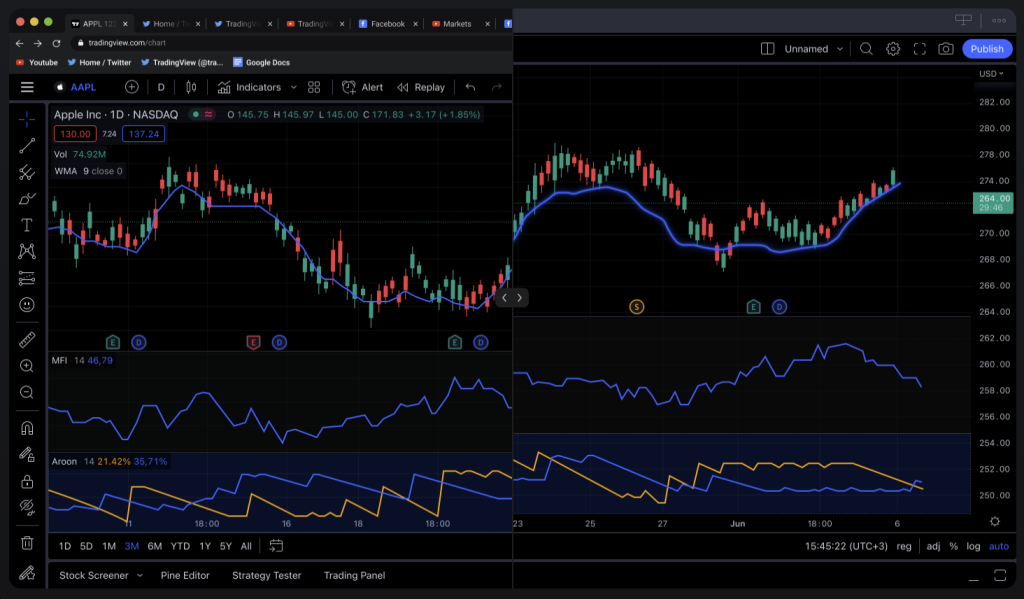


For traders spending hours analyzing charts and executing trades on their computers, TradingView’s dedicated desktop application represents a meaningful upgrade from relying solely on the web browser version. Released to give power users a more robust trading environment, the app transforms how active traders interact with markets and manage their technical analysis workflows.
Why Desktop Outperforms the Web Version
The most compelling reason to switch to the desktop application is performance. While TradingView’s web platform is impressive, it shares your browser’s resources with other tabs, extensions, and background processes. Every email notification, YouTube video, or news site you have open competes for the same CPU and RAM that your charts need to render smoothly.
The desktop app operates independently, claiming your system’s full computing power exclusively for trading. This difference becomes painfully obvious when you’re monitoring multiple charts laden with complex indicators. What might cause lag in a browser—dozens of concurrent price updates flowing through several indicator calculations—happens almost instantaneously on the desktop version. For traders working with real-time data in fast-moving markets, this responsiveness matters. Your orders execute faster, your analysis feels snappier, and the platform simply feels more fluid under heavy use.
Memory consumption drops noticeably as well. Without the browser’s overhead, the desktop app runs lean, keeping your machine responsive even during marathon trading sessions.
Multi-Monitor Trading Made Practical
Professional traders rarely work with a single screen anymore. The desktop application was built with this reality in mind, offering native multi-monitor support that the web version simply cannot match gracefully.
You can stretch your workspace across multiple displays, positioning your watchlists on one screen, price charts on another, and market news on a third—all functioning in perfect synchronization. The app allows you to customize individual tab titles and duplicate charts across windows, letting you organize your trading setup exactly as you envision it. For traders managing multiple timeframes or analyzing different asset classes simultaneously, this flexibility transforms your analytical capability.
Features Exclusive to the Desktop Version
Beyond raw performance, the desktop application includes several conveniences that matter in daily use. The app automatically restores your previous session on launch—your last viewed tickers, chart intervals, and watchlists reappear exactly as you left them. There’s no need to rebuild your workspace each morning.
Symbol synchronization across color-tagged tabs is particularly useful for tracking correlated instruments. Change a symbol in one tab, and all tabs tagged with the same color automatically update, allowing you to quickly analyze how different pairs move together. Crosshair synchronization works similarly, keeping your price and time reference points aligned across all open charts and windows for consistent analysis.
System-native notifications alert you to important market movements without relying on browser notifications, which can get buried or dismissed accidentally. The app also integrates seamlessly with your operating system’s light and dark mode settings, adjusting the interface to match your system preferences.
Practical Performance Gains
The improvements aren’t just theoretical. Traders using the desktop version report noticeably faster chart loading when opening layouts containing dozens of symbols and indicators. The platform handles complex backtesting and strategy analysis without the stuttering that occasionally plagued browser versions under similar loads. The reduced CPU load means your laptop runs cooler and your battery lasts longer—a significant benefit if you trade from coffee shops or while traveling.
Installation and Availability
You can download the TradingView desktop application directly from the official downloads page. The app is available for both Windows (accessible through the Microsoft Store) and Mac, making it accessible regardless of your operating system preference. Installation is straightforward, and the app syncs seamlessly with your existing TradingView account, so all your settings, watchlists, and chart layouts transfer immediately.
The application maintains feature parity with the web version—you get access to 100+ technical indicators, Pine Script strategy creation, broker integration for live trading, and all the same charting tools. However, updates come manually rather than automatically, which some traders prefer as it gives them control over when changes affect their workflow.
When Desktop Makes Sense
The desktop application isn’t necessary for everyone. Casual traders who check markets occasionally might find the web version entirely adequate. The same applies if you frequently switch between devices—the web version’s device-agnostic nature means you’re never locked into a single machine.
But if you’re a daily user spending hours at your computer analyzing charts, managing multiple positions, or backtesting strategies, the desktop app addresses genuine pain points. The performance boost, multi-monitor support, and workflow conveniences justify the download. Professional traders, swing traders managing multiple timeframes, and technical analysts building complex watchlists typically find the desktop version indispensable.
The decision ultimately comes down to how you use TradingView. Test it yourself—download the app and run it alongside the web version for a week. The difference becomes apparent quickly, especially when you’re running your most demanding setups.