Most traders who have been at this long enough recognise a familiar pattern: the plan made the night before looks nothing like the trades taken by afternoon. Not because the plan was wrong but because execution drifts. A slightly late entry. A stop loss moved just this once. An exit held longer than intended because the P&L looks close to recovery.
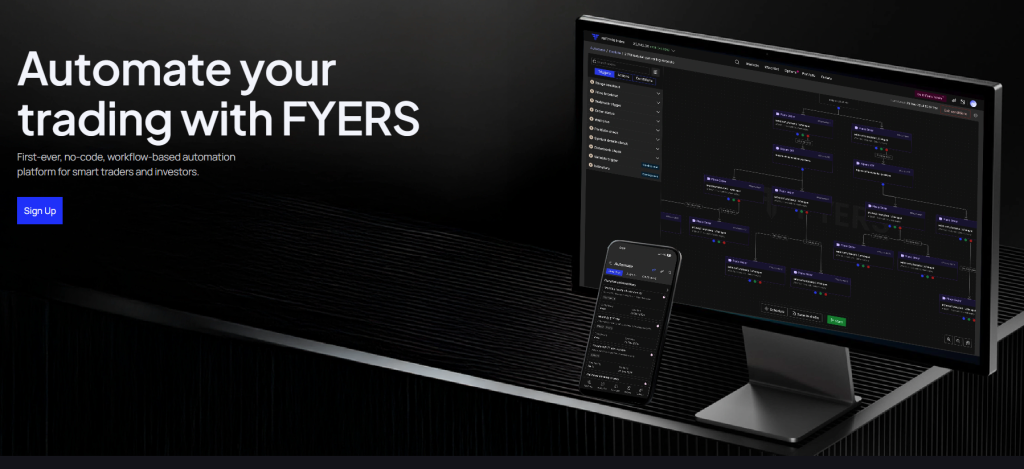
FYERS has built a feature directly aimed at this problem. Automate, available on FYERS Web, lets you convert a trading strategy into a structured, rule-based workflow with no coding required. Once the workflow is live, it executes the logic exactly as defined, without the second-guessing that tends to creep in during live market hours.
How Automate Is Structured
The entire system is built on three types of nodes: Triggers, Actions, and Conditions. Each plays a specific role, and together they let you map out a complete trade ( entry, exit, risk management ) as a visual workflow on a canvas.
Triggers define when the workflow activates. FYERS offers eight trigger types:
- Range Breakout : fires when price breaks a defined range, useful for opening range strategies.
- Price Breakout : activates on price or volume crossing a defined level, with optional candle-close confirmation.
- Webhook Trigger : lets an external system (TradingView alerts, custom scripts) wake the workflow inside FYERS.
- Order Status : useful for multi-leg strategies, where the next step depends on whether a previous order was executed or rejected.
- Wait Time : introduces a controlled pause, either for a set duration or until a specific time.
- Portfolio Check : monitors account-level figures like total P&L or number of open positions, commonly used as a risk layer.
- Symbol Details Check : watches symbol-level attributes like bid/ask spread, circuit limits, or 52-week highs.
- Orderbook Check : reacts to order-flow metrics like number of pending orders.
Actions are what the workflow actually does when conditions are met. This includes placing orders (with dynamic strike selection for options, ATM, OTM, or ITM calculated at runtime, not at workflow creation), modifying or cancelling pending orders, squaring off positions across different scopes, and sending alerts via mobile notification or email.
Conditions add the decision logic: IF-THEN branches, AND checks (all conditions must be true), OR checks (any one will do), and ANY, which monitors multiple conditions in parallel and moves forward whichever fires first. The ANY condition is particularly useful for exits, where a target hit, stop loss, or time-based exit can all be monitored simultaneously.
What Makes This Relevant for Indian Retail Traders
Options traders running multi-leg strategies such as spreads, straddles, or conditional entries often struggle with the sequencing problem. Leg one gets filled, and now you are watching the screen waiting to place leg two at the right moment. Automate handles this through Order Status triggers and outcome paths from Place Order actions, allowing the workflow to branch based on whether an order was executed, rejected, or is still pending.
The dynamic strike selection in options is worth noting separately. Instead of specifying a fixed contract, you define the selection rule such as Buy ATM Call on NIFTY, and Automate calculates the applicable strike when the workflow runs. For intraday options traders, this is a practical improvement over manually updating strikes each morning.
Portfolio-level checks work as a circuit breaker layer. You can configure a workflow to stop further entries or square off all intraday positions if the account’s total P&L crosses a defined loss threshold. This is something most traders intend to follow manually but rarely execute with consistency.
Starting, Saving, and Scheduling
Before going live, Automate validates the workflow for configuration errors. If something is missing or improperly connected, it flags it and prevents execution. Workflows can also be saved as drafts and scheduled to run only during specific time windows such as market hours, particular weekdays, or a restricted intraday window without the schedule itself placing any orders.
The workflow only places trades if a trigger fires and the logic path leads to a Place Order action. Scheduling simply controls when the automation is listening.
Why This Feature Deserves More Recognition Than It Gets
There is something worth acknowledging here that goes beyond the feature itself. Building a rule-based automation engine of this kind is not a lightweight engineering decision for a brokerage. Running live market workflows for thousands of users simultaneously, each one monitoring triggers, evaluating conditions, and executing actions in real time, places significant and continuous demand on computing infrastructure. Every active workflow is essentially a live process watching market data, checking logic, and standing ready to execute. At scale, across an entire user base, that adds up to a substantial and ongoing infrastructure cost that most brokers would quietly choose to avoid. A broker primarily focused on protecting margins would simply not build this. The easier path is to offer a clean order interface and leave the strategy execution entirely to the trader. FYERS chose the harder path. That choice says something concrete about where they have decided to place their priorities, and it is the kind of decision that does not always get noticed but absolutely deserves to be. It reflects a broker willing to absorb real operational cost in exchange for giving clients a genuinely better trading experience. That is not a marketing position. That is a structural commitment, visible in the product itself.
Automate is currently available only on FYERS Web. For traders who have built a strategy they trust but struggle with consistent execution, it is worth spending an hour exploring what the canvas can do.